4.4K
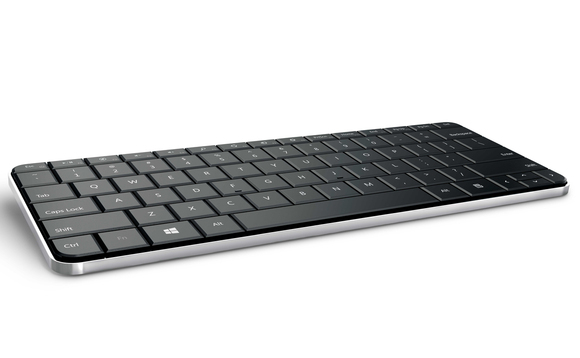
Þar sem ég skrifa frekar mikinn texta í vinnunni þá nota ég mikið flýtivísanir beint af lyklaborðinu. Það flýtir mikið fyrir mér í stað þess að færa mig yfir á músina, finna aðgerðina og framkvæma. Ég ákvað að halda þessu á ensku hér (smá leti) en gerði Bold það sem ég nota reglulega og Rautt Bold sem ég gæti ekki lifað án..
| Start Screen | |
| Win | Toggle the new start menu on or off |
| Win+D | Switch to classic Windows desktop |
| Win+, | Peek at desktop |
| ← Select the tile to the left | |
| → Select the tile to the right | |
| Win+PgUp | Move tiles to the left |
| Win+PgDn | Move tiles to the right |
| Win+B | Switch to classic Windows desktop and select notification tray |
| Starting Programs | |
| Win+1 | Open the first program on your Quick Launch bar |
| Win+2 | Open the second program on your Quick Launch bar |
| Win+n | Open the nth program on your Quick Launch bar |
| Win+Q | Open Application Search panel |
| Win+F | Open File Search panel |
| Win+E | Open Explorer |
| Win+R | Open the Run window [more info] |
| Ctrl+Shift+Esc | Open Windows Task Manager |
| Charms, Share, Search and Settings | |
| Win+C | Open Charms panel to search, share, and change settings |
| Win+H | Open Share panel |
| Win+I | Open Settings panel to change settings for the current app, volume, wireless networks, shut down |
| Win+P | Open Projection panel (generally used for laptops connected to projectors) |
| Win+K | Open Devices panel for connecting to a projector or other device |
| Win+Z | Open the current application’s application bar |
| Win+Q | Open Application Search panel |
| Win+W | Open Settings Search panel |
| Win+F | Open File Search panel |
| Managing Windows | |
| Win+Tab | Switch between Metro applications |
| Win+. | Snap current Metro application to the right |
| Win+Shift. | Snap current Metro application to the left |
| Win+J | Cycle through snapped Metro applications |
| Alt+F4 | Close the active window |
| Alt+Tab | Switch to previous active window |
| Alt+Esc | Cycle through all open windows |
| Win+T | Cycle through applications on taskbar (showing its live preview) |
| Win+M | Minimize all open windows |
| Win+D | Toggle showing the desktop |
| Win+↑ | Maximize the current window |
| Win+↓ | If the current window is maximized, restore it; if the current window is restored, minimize it |
| Win+← | Dock the current window to the left half of the screen |
| Win+→ | Dock the current window to the right half of the screen |
| Win+Shift+← | Move current window to the left monitor (with dual monitors) |
| Win+Shift+→ | Move current window to the right monitor (with dual monitors) |
| Win+Home | Minimize all but the current window (press again to undo) |
| Win+Y | Peek at the desktop |
| Win+[Plus sign] | Zoom in |
| Win+[Minus sign] | Zoom out |
| Win+V | Cycle through toasts |
| Win+ShiftV | Cycle in reverse through toasts |
| Taskbar Modifiers | |
| Shift+Click | Open a new instance of the program |
| Ctrl+Click | Cycle between windows in a group |
| Middle Click | Open a new instance of the program |
| Ctrl+Shift+Click | Open a new instance of the program as Administrator |
| Shift+Right-Click | Show window menu |
| Viewing Folders With Explorer | |
| Alt+P | Show/hide the preview pane |
| Alt+← | Go back |
| Alt+→ | Go forward |
| Alt+↑ | Go up a directory |
| Alt+D | Move focus to address bar |
| Alt+D, Tab | Move focus to search bar |
| Alt+Enter | Open the Properties window of the current selection |
| Ctrl+Mousewheel | Change the view type (extra large, small, list view, detail, etc.) |
| Alt+P | Show/hide the preview pane |
| Other | |
| Win+X | Menu with shortcuts to management, configuration, and other “power user” Windows tools |
| Win+L | Lock computer |
| Win+B | Move focus to notification tray (the right-most portion of the taskbar) |
| Win+O | Lock device orientation (landscape/portrait); for devices with a gyroscope |
| Win+Space | Switch input language and keyboard layout |
| Win+Enter | Open Narrator |
| Win+Pause | Open the System Properties portion from the Control Panel |